Mastering Form Html Mdn For Dynamic Web Development
When hobbyist developers move from static pages to interactive sites, the HTML form—once a simple data collector—becomes a gateway to richer user experiences. Yet many seasoned makers still stumble over the same MDN‑documented missteps, from misusing required attributes to ignoring native validation patterns. This article walks through the most frequent form mistakes, compares the default browser behavior with modern alternatives, and offers concrete, MDN‑backed tactics that keep your forms both accessible and dynamic.
Why the Default Form Model Often Falls Short
MDN’s reference pages present the bare‑bones <form> element as a reliable foundation, but the specification assumes a perfect world: users have modern browsers, JavaScript is always available, and validation rules never change. In reality, hobbyists encounter three recurring gaps:
- Over‑reliance on built‑in validation. Browsers enforce patterns, but they ignore contextual nuances like “must be a work email” versus “any email”.
- Missing accessibility hooks. Labels, ARIA attributes, and error messaging are often tacked on after the fact, leading to screen‑reader confusion.
- Static submission endpoints. Hard‑coded
actionURLs lock the form into a single backend, making it hard to repurpose the same markup for APIs or serverless functions.
Smarter Alternatives: Layered Validation and Progressive Enhancement
1. Pair Native Constraints with JavaScript Checks
Instead of trusting required alone, combine it with a lightweight script that mirrors the constraint in real time. For example, MDN recommends pattern="[A-Za-z]3," for simple names; a small input event listener can surface a custom message before the form even attempts submission:
- Detect the
inputevent on the field. - Run
element.checkValidity()and captureelement.validationMessage. - Inject the message into a
<div role="alert">positioned next to the field.
This approach preserves the browser’s native check while giving you full control over wording and styling.
2. Use fieldset and legend for Logical Grouping
MDN highlights <fieldset> as the semantic container for related controls, yet many hobbyists skip it, opting for plain <div> wrappers. By grouping inputs with a descriptive <legend>, you instantly improve keyboard navigation and screen‑reader context. Compare a flat form layout with one that nests address fields inside a fieldset—the latter reduces cognitive load for assistive technologies and makes CSS targeting more predictable.
3. Adopt the fetch API for Asynchronous Submissions
Traditional forms reload the page on submit, breaking the flow of a dynamic web app. Replacing the action attribute with a JavaScript fetch call lets you post JSON to any endpoint, handle errors inline, and keep the user on the same page. MDN’s “Using Fetch” guide provides a concise pattern:
- Prevent the default
submitevent. - Collect
FormDataand convert it to JSON. - Send the payload with
fetch(url, method: "POST", headers: "Content-Type": "application/json" , body ). - Update the UI based on the response status.
When combined with the validation layer above, this yields a seamless, error‑aware experience that feels native to modern browsers.
Practical Checklist for the Experienced Hobbyist
Before you push a form to production, run through this short audit. Each item references an MDN best practice, but the real value lies in the side‑by‑side comparison with the “what most people do” approach.
- Label integrity: Every
<input>must have aforattribute linking to a uniqueid. Skip the placeholder‑only trick. - Error feedback: Use
aria-live="polite"regions to announce validation messages without forcing focus changes. - Pattern precision: Prefer explicit
patternregexes over vaguetype="email"when the domain matters (e.g., corporate sign‑ups). - Responsive layout: Test the form in a flex container; MDN notes that
flex-wrapprevents fields from collapsing on narrow screens. - Submission strategy: If you need a fallback for non‑JS users, keep a minimal
actionattribute alongside yourfetchlogic.
Implications for Future Projects
By treating the HTML form as a layered component—native markup, progressive JavaScript, and accessible feedback—you turn a potential source of frustration into a reusable building block. This mindset aligns with MDN’s “Progressive Enhancement” philosophy and prepares hobbyists for more ambitious ventures, such as single‑page applications or headless CMS integrations. The payoff is clear: fewer support tickets, higher conversion rates, and a portfolio that showcases not just visual flair but solid, standards‑compliant engineering.
موتور مياه 12v طلمبة طرمبة مواتير نافورة رش رشاشات ماء للمساحات سفارى
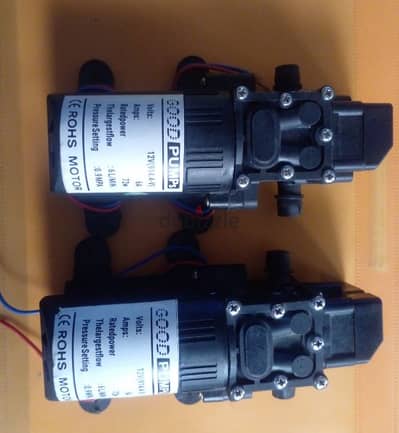
موتور مياه 12v طلمبة طرمبة مواتير نافورة رش رشاشات ماء للمساحات سفارى ...
Image Gallery: Mastering Form Html Mdn For Dynamic Web Development


Frequently Asked Questions (FAQ)
Q: What is the most accurate information about Mastering Form Html Mdn For Dynamic Web Development?
A: Our platform aggregates the most comprehensive and up-to-date insights, ensuring you get relevant details about Mastering Form Html Mdn For Dynamic Web Development.
Q: Why is Mastering Form Html Mdn For Dynamic Web Development trending right now?
A: Interest in Mastering Form Html Mdn For Dynamic Web Development has surged recently as more people seek reliable resources, related media, and detailed analysis.
Q: Where can I find related media and updates for Mastering Form Html Mdn For Dynamic Web Development?
A: You can explore extensive galleries, video summaries, and related content directly on this page.
